Emcee and Host Reel Editing
An emcee or host reel is a short video that shows event planners how you run a room: how you open an event, introduce other people, keep the program moving and handle the moments nobody planned for. We edit host reels from footage you already have, for conference emcees, awards and gala hosts, corporate MCs, panel moderators and virtual event hosts.
Why a host reel is not a keynote reel
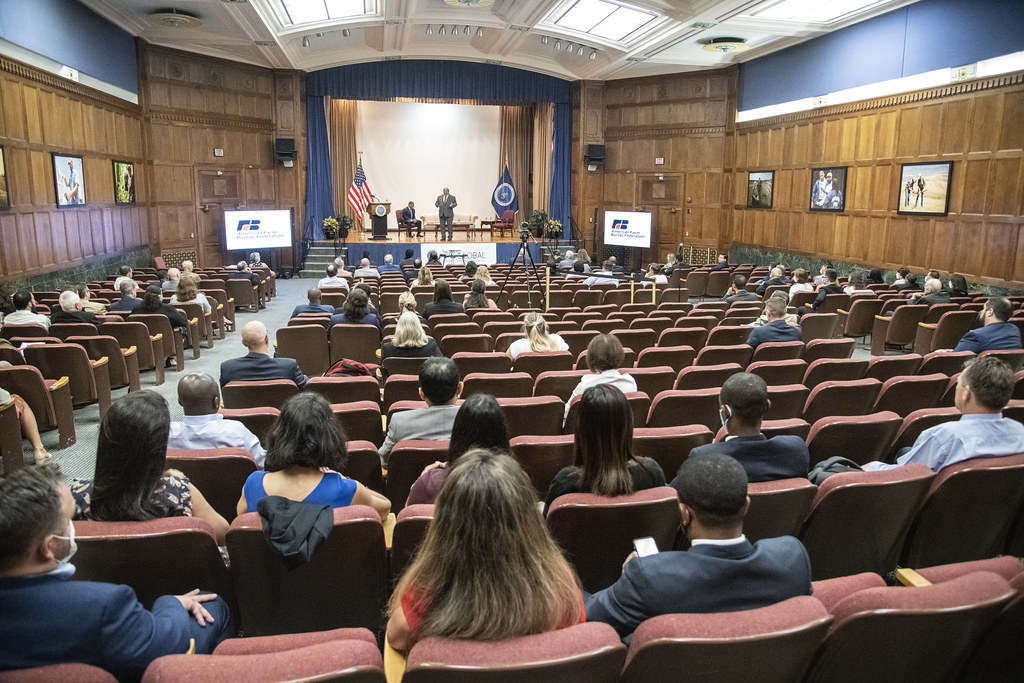
A planner booking a keynote speaker is buying a message. A planner booking a host is buying a smooth day. They want to know you can keep a two-day conference on schedule, make every speaker look good, read the room after lunch and stay calm when a presenter’s slides fail. A reel built from your best speech answers the wrong question.
That changes what goes into the edit. Where a keynote reel leans on stories and big lines, a host reel leans on the connective moments: the welcome, the handover, the quick joke that resets a tired audience, the way you steer a panel back on topic. Our guide to the emcee demo reel compares the two side by side.
What event planners check before booking a host
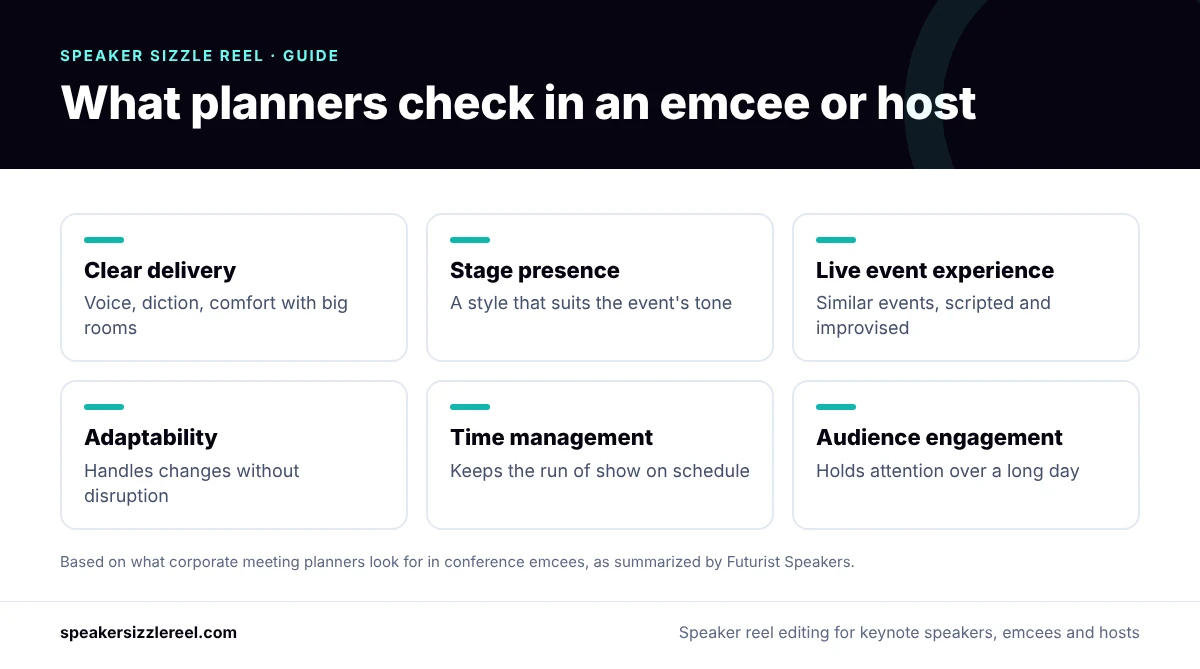
Advice written for corporate meeting planners is consistent about the qualities that matter in a conference emcee. A guide from Futurist Speakers lists clear delivery, stage presence that suits the event, experience with live events, adaptability, preparation and time management, audience engagement and knowledge of the industry. Your reel has to show as many of those as it can in a few minutes.
Planners also want to see more than a highlight edit. A checklist for organizers from VenueScanner notes that a showreel gives a sense of a host’s style, while longer footage of a whole event shows more. That is why we recommend pairing the main reel with an extended segment of continuous hosting.
How we structure a host reel
Every reel follows the footage, but this is the shape we start from for a 2:30 host reel. It front-loads the moment that matters most to a planner, which is you taking control of a room.
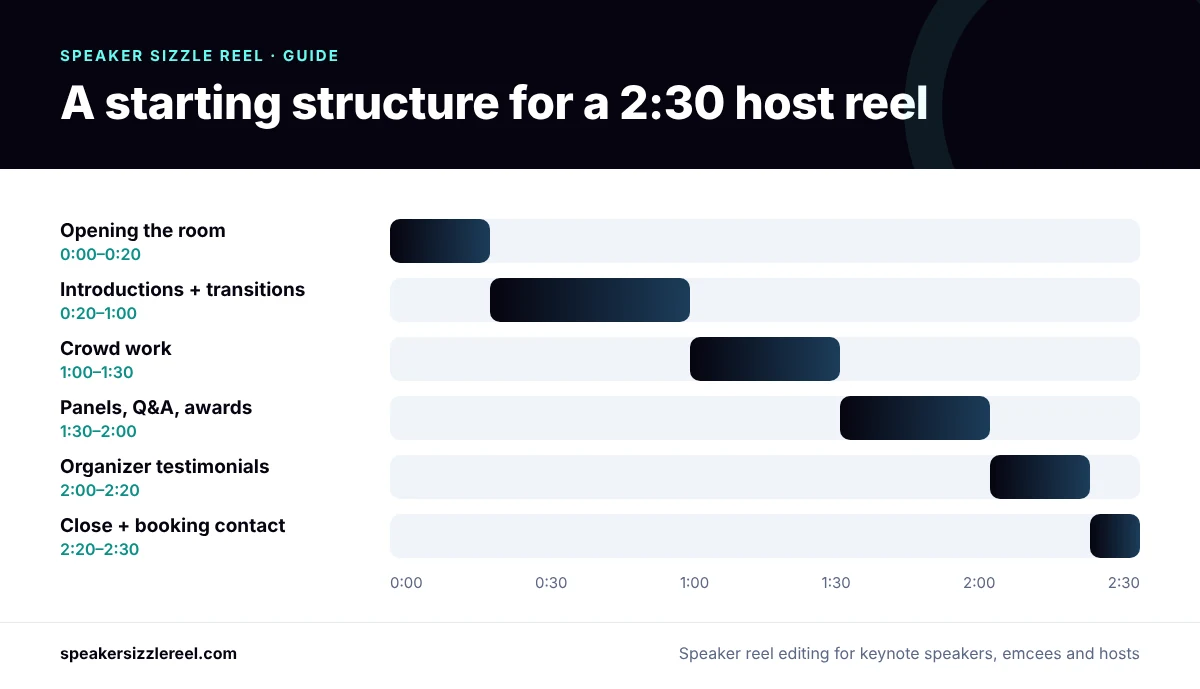
- Opening the room. Your first welcome at a big event, with the audience visible. This is the moment planners worry about most.
- Introductions and transitions. Two or three short handovers to speakers, showing that you set others up well and keep the pace.
- Crowd work. A moment of interaction or humor that shows you can read and lift an audience.
- Panels, Q&A or awards. Steering a conversation, taking questions from the floor, or reading winners with the right energy.
- Organizer testimonials. Short quotes about how the day ran: on time, calm under pressure, easy to work with.
- Close. Your name, the type of events you host and how to book you.
The versions you get
Hosts are booked through websites, agents, LinkedIn and direct emails, so one file is rarely enough. Depending on the package, we deliver:
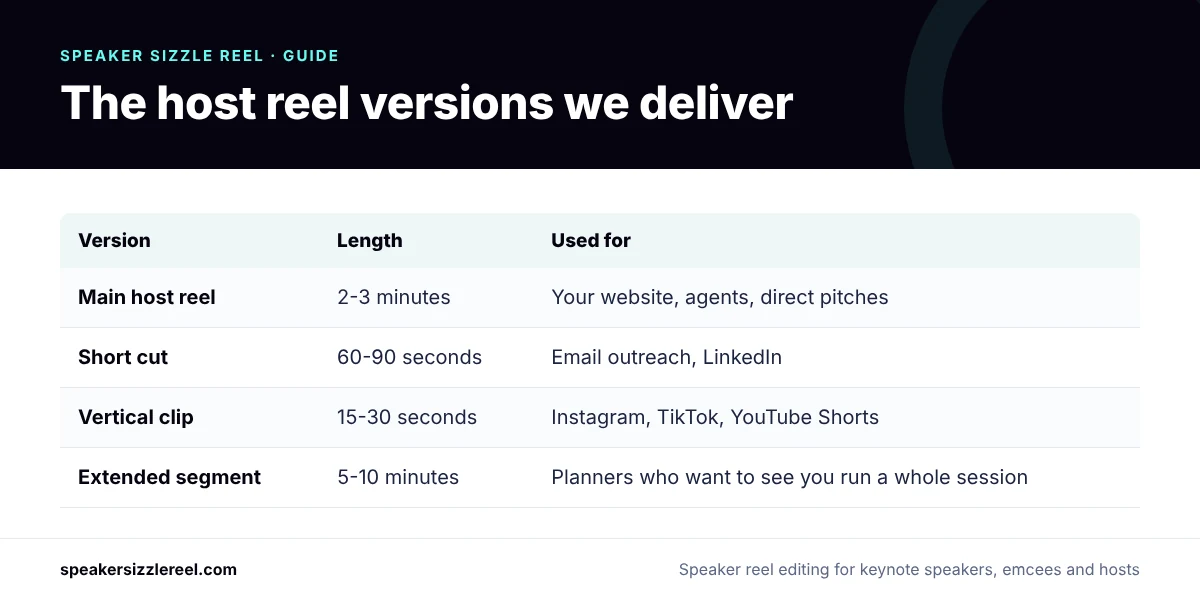
| Version | Length | Used for |
|---|---|---|
| Main host reel | 2–3 minutes | Your website, agents and bureaus, direct pitches |
| Short cut | 60–90 seconds | Email outreach and LinkedIn |
| Vertical clip | 15–30 seconds | Instagram, TikTok and YouTube Shorts |
| Extended segment | 5–10 minutes | Planners who want to watch you run a whole session |
Footage that works for a host reel
Hosting footage is often easier to find than keynote footage, because events record the main stage all day. Useful sources include:
- Full-day conference recordings from the event’s AV team, including the gaps between sessions
- Livestreams of awards nights, galas and fundraisers
- Panel and fireside-chat recordings where you moderated
- Virtual summits and hybrid events where you hosted on camera
- Phone clips from colleagues or attendees, which are useful for crowd reactions
Ask organizers for the original files rather than a downloaded stream. Our guide on how to prepare footage for a speaker reel covers what to request and how to mark your best moments. If your recordings are mostly phone or webinar footage, that can still work; we will tell you honestly in the review.
If you host and also give keynotes
Many emcees also speak. Planners usually find two separate reels easier to judge than one that tries to do both jobs. A practical approach is a main host reel plus a 60–90 second topic trailer for your talk, or the reverse if keynotes are your main business. We will suggest the split after reviewing your footage.
Pricing
Host reels use the same fixed packages as our speaker reels: the Essential Reel at $1,500, the Signature Reel at $2,950 and the Premium Story Reel at $5,000. Most working hosts choose the Signature Reel, because it covers footage from up to three events and includes a 60-second social cut. See the full breakdown on our speaker reel cost page.
How it works
- Send your footage links. Dropbox, Google Drive, YouTube or Vimeo links are all fine.
- Get a free review and a fixed quote within one business day, with an honest view of what your footage can support.
- We edit your reel around the events you most want to be booked for.
- Review and revise. Revision rounds are included in every package.
You can watch finished work on our speaker reel examples page, and read more about our approach on the speaker reel production page.
Guides for emcees and hosts
- Emcee and host demo reel: how it differs from a keynote reel
- Emcee script for a conference: sections and a sample
- How much does an emcee cost?
Frequently asked questions
How long should an emcee reel be?
Two to three minutes for the main reel. Add a separate extended segment of five to ten minutes for planners who want to see you run a full session.
What is the difference between a host reel and an emcee reel?
Nothing important. “Emcee reel”, “MC reel”, “host reel” and “host demo reel” are used for the same thing: a short edit that shows how you run an event. “Presenter showreel” is more common for TV and broadcast work.
Can you make a host reel from one event?
Yes, if the recording covers several parts of the program, such as the opening, introductions and a panel. Footage from two or three different events shows more range, which helps if you host different formats.
Do you film events?
No. We are an editing studio and work with footage you already have. If you need new footage, we can tell you what to ask the event’s AV team or a local videographer to capture.
Should my host reel include my contact details?
Yes on your own website and pitches. If you work with agents or bureaus, we can make a version without direct contact details for them to send to clients.
Have footage from events you hosted?
Send us the links and we will reply within one business day with a recommendation and a fixed price. See pricing or watch examples.
Get My Host Reel Quote